Introduction
A datasource is a configuration object that defines how to connect to a specific database system. It includes details such as the database type, connection URL, authentication credentials, and other relevant settings.
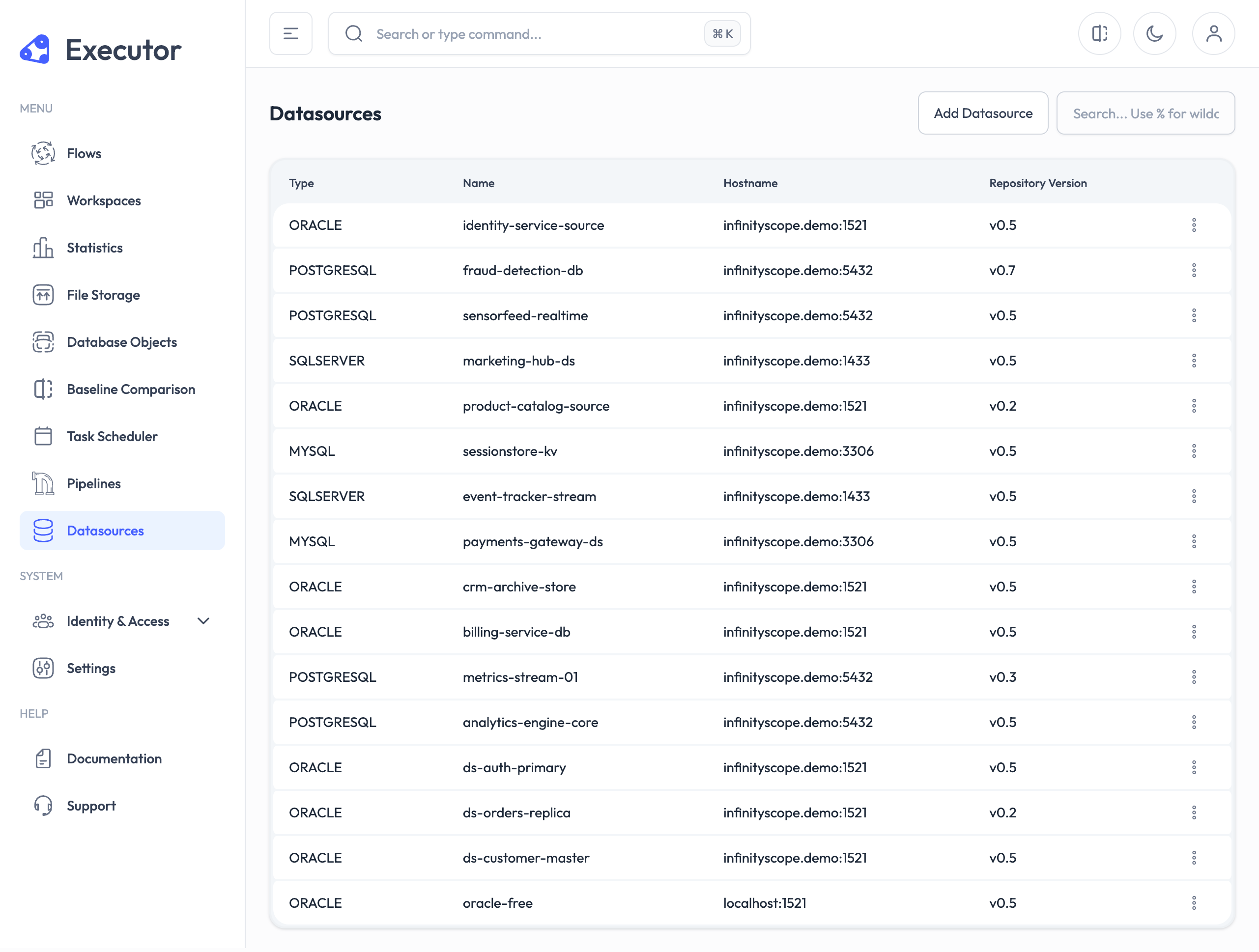
Datasources are essential for applications that need to interact with databases, as they provide the necessary information for establishing connections and performing database operations.
Before creating a workspace, ensure that you have a properly configured datasource to enable seamless data access and management.
When you add a datasource you have to provide a schema that needs to create necessary tables and relations in the database. In Service Repository tab, you can find the informaition about the required schema for each service.
Create a datasource
To create a datasource, follow these steps:
- Navigate to the "Datasources" section in the application.
- Click on the "Add Datasource" button.
- Fill in the required fields, including:
- Name: A unique name for the datasource.
- Type: Select the type of database (e.g., Oracle, PostgreSQL, MySQL).
- Click "Submit" to create the datasource.
Manage datasources
Once a datasource is created, you can manage it by:
- Viewing details and connection status.
- Editing configuration settings.
- Install the service repository.
- Deleting the datasource if it is no longer needed.